Where and when your passports are opened, without knowing who opens them.
Every scan of a code on your garments is counted: by country, by type of device, by the language of the browser and by the hour of the day. You see which products are read and which printed codes are in use, on the same screen as the rest of your supply-chain data. No scan is tied to a person.
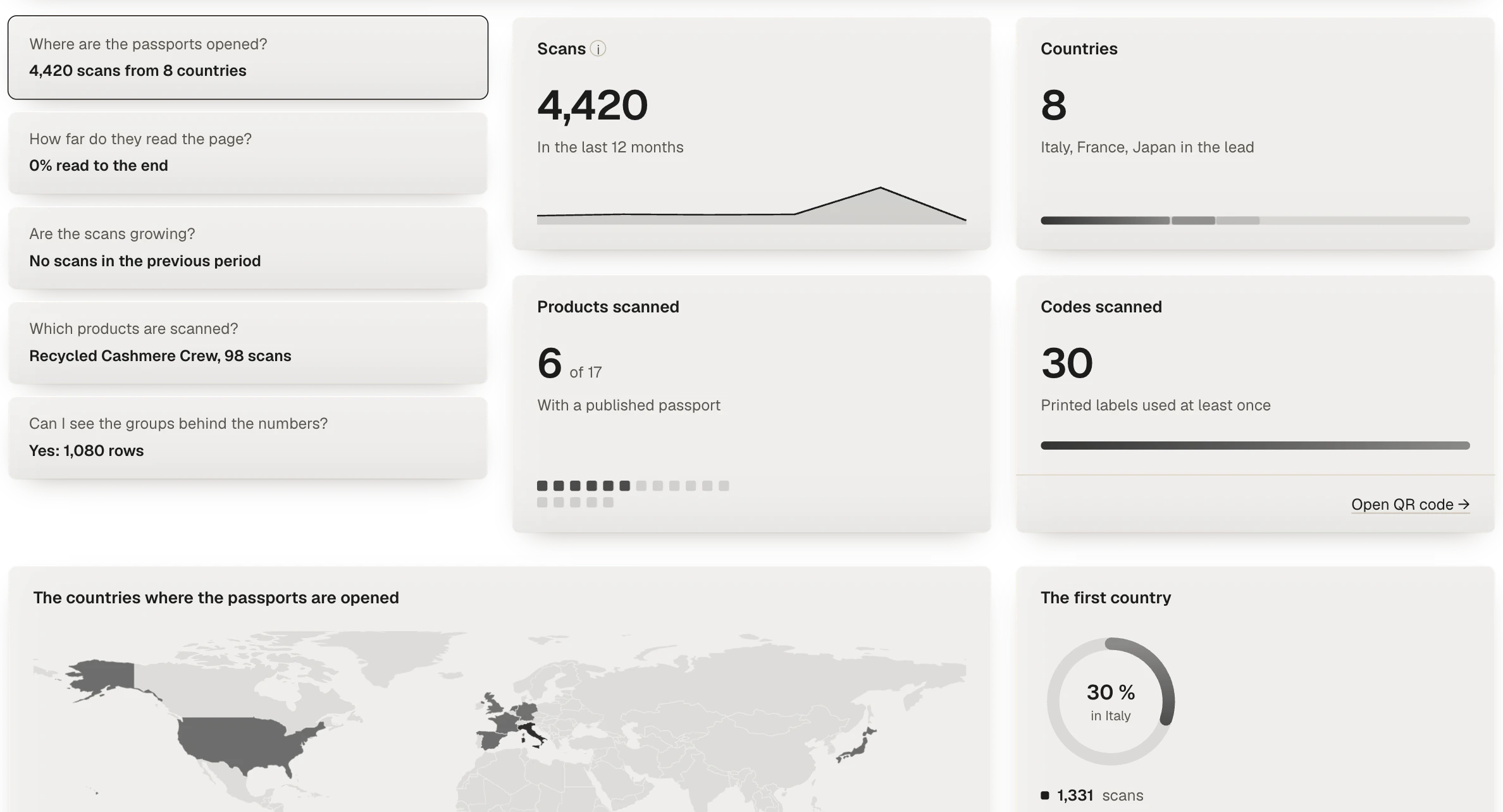
What the passport view shows
The Passports view of Analytics opens with a few questions and answers each one with a figure: where passports are opened, how far readers get down the page, whether scans are growing compared with the previous period, and which products are scanned most. Beside them sit four counts: the scans in the period, the countries they come from, how many products with a published passport have been scanned, and how many printed codes have been used at least once.
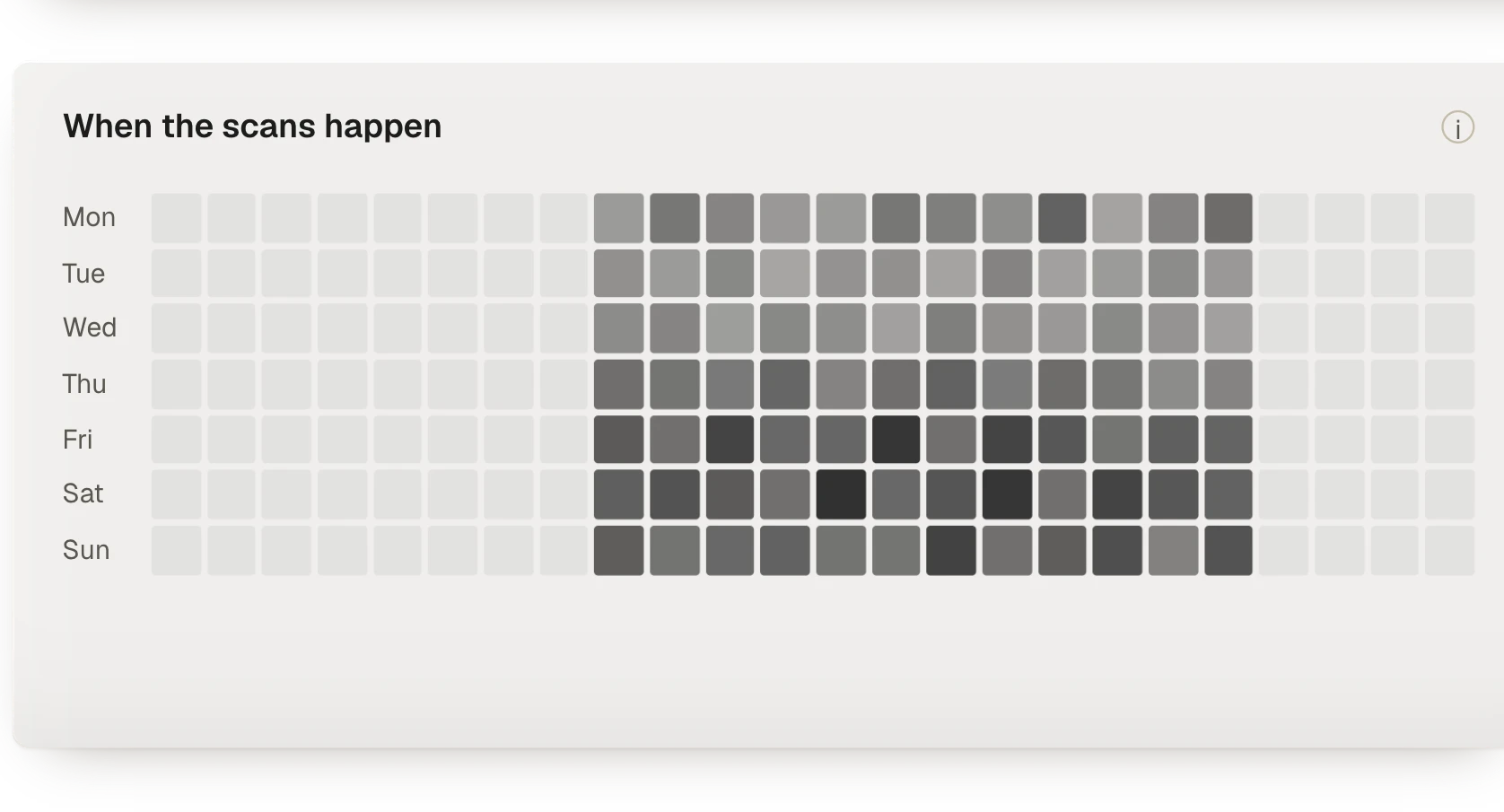
A map shows the countries where passports are opened, and a grid of the week shows at which hours of which days the scans happen. The filters are those of the rest of Analytics: period, product, category and collection. For the scans you can also narrow by country, device, language and printed code.
How a scan is counted
When someone scans the code on a label, the phone reaches the passport through Tramaproof's address service. At that moment Tramaproof keeps a count, and nothing else: the country as a two-letter code, at most the region, the device class (phone, tablet or computer), the main language of the browser, and the hour. The IP address of the request is used only to limit abuse, and is discarded at once.
The counts are added up by hour, by product and by printed code. No record identifies a reader, and a returning reader cannot be told from a first-time one. The hour is kept in UTC, universal time, so figures from different markets can be compared on the same clock.
How far readers get down the page is measured the same way. The passport page reports which of its sections came into view, at most once per section each time it is opened. Tramaproof adds those counts up per product and per day, and shows them as a share of the scans.
What the figures are for
- Checking the labels in circulation. A code that has never been scanned may never have been printed, or may sit on stock that has not been sold yet. The count of codes used at least once shows you which ones to check.
- Comparing languages with markets. The browser languages of the readers show where the passport is actually read. If they point to a market you have not declared, that is worth knowing.
- Completing the most-read passports first. Analytics puts each product's readiness beside its scan count. A passport that is opened often and still has a gap is the one to complete first.
- Answering retail and marketing with figures. How many passports were opened last season, in which countries, on which devices: the answer is a filter away, not an estimate.
What it does not do
The analytics describe how passports are consulted. They do not identify the people who scan them, they do not follow a reader from one page to another, and they do not link a scan to a purchase. A passport is a regulatory document: its page is there to answer the reader, not to profile them.
Exports
The same counts leave the platform in two ways: a CSV file written every night to private storage, from which your reporting tool can collect it, and a read API. Both apply the same access rules as the screen.
Questions about scan analytics
Does scan analytics use personal data?
No. Each scan leaves a count by country, region, device class, browser language and hour. The IP address is used only to limit abuse and is not stored, and no identifier of the reader is kept.
Can I see who scanned a garment?
No. The analytics are aggregated by design: they tell you where and when passports are opened, never by whom.
Can I compare scans by product and by printed code?
Yes. Scans are counted per product and per printed code, and the filters narrow them by period, country, device and language.
Why is the hour in UTC?
Because a local hour would need the reader's time zone, which is a finer detail than the analytics keep. UTC puts every market on the same clock.
Can I take the counts into my own reporting tool?
Yes. A CSV file is written every night to private storage, and a read API returns the same counts, with the same access rules as the screen.